
Imagine having the perfect employee. Someone who works 24/7, never misses a single call, and instantly qualifies every new lead without ever needing a coffee break. That's the core idea behind an AI sales assistant—a powerful tool built to automate the repetitive, time-sucking tasks that drain your sales team's energy and stunt your growth.
At its heart, an AI sales assistant is a specialized software that uses artificial intelligence to handle customer conversations and sales-related tasks on its own. Don't think of some complex robot from a sci-fi movie. Instead, picture a dedicated digital front desk for your business. Its entire job is to manage the relentless flow of communication that so often overwhelms small teams.
This digital assistant doesn't just sit there and answer basic questions; it actively pushes your sales process forward. It works across all your channels—handling phone calls, replying to text messages, and managing email inquiries—to make sure no opportunity ever slips through the cracks. For a small business, this is a total game-changer. While your larger competitors have massive call centers, an AI assistant levels the playing field by delivering instant, intelligent responses around the clock.
It’s really important to draw a line between these tools and the simple, old-school chatbots you might be used to. A basic bot just follows a rigid script, but a modern AI sales assistant can hold natural, human-like conversations. Because they're powered by advanced models like GPT-4, they can understand context, answer surprisingly complex questions, and even adapt their responses based on what the caller needs.
This ability turns a simple inquiry into a genuinely productive business interaction. For example, instead of just spitting out a generic "Someone will call you back," the AI can:
The real magic of an AI sales assistant is its knack for turning that first point of contact into concrete action. It seamlessly bridges the gap between a potential customer's first question and a scheduled meeting with a human expert, creating a smooth and efficient journey for every single lead.
Think about the front desk of your business for a second. Every single phone call or incoming email is a potential sale. Now, what if you had a receptionist who could juggle hundreds of calls at once, flawlessly capturing every caller's details and scheduling follow-ups without ever putting anyone on hold? That’s exactly what an AI assistant does.
It takes over the essential but repetitive work of lead capture and qualification, freeing up your human team to focus on what they do best: building relationships and closing deals. If you want to dive deeper into how this technology directly impacts your revenue, you can explore how an AI-powered sales assistant can boost your bottom line. By taking care of the foundational steps of the sales cycle, these tools give small businesses the power to operate with the efficiency and scale of a much larger company.
To really get a feel for what an AI sales assistant can do, you need to understand the two main ways they operate. Think of them as having two distinct "modes"—one for grabbing customers who are already interested and another for actively hunting down new ones. These aren't just separate features; they're complete workflows that can independently supercharge different parts of your sales cycle.
Each workflow is built to tackle a specific business headache. Once you see how they both work, you can zero in on the exact function that will give you the biggest bang for your buck.
First up, and probably the most common, is inbound lead conversion. This is the reactive part of your sales engine, the one focused on flawlessly handling every single person who reaches out to you. It’s all about capturing the interest you've already drummed up from your marketing, word-of-mouth, or reputation.
Picture this: a potential customer calls your business after you've closed for the day. Normally, that call goes straight to voicemail, where it might sit for hours, maybe even until the next business day. But with an AI receptionist, that call gets answered instantly, 24/7. The AI can have a normal conversation, answer basic questions, and figure out if the caller is actually a good fit for your business.
This diagram breaks down the core steps an AI assistant takes to capture, qualify, and book those inbound leads.
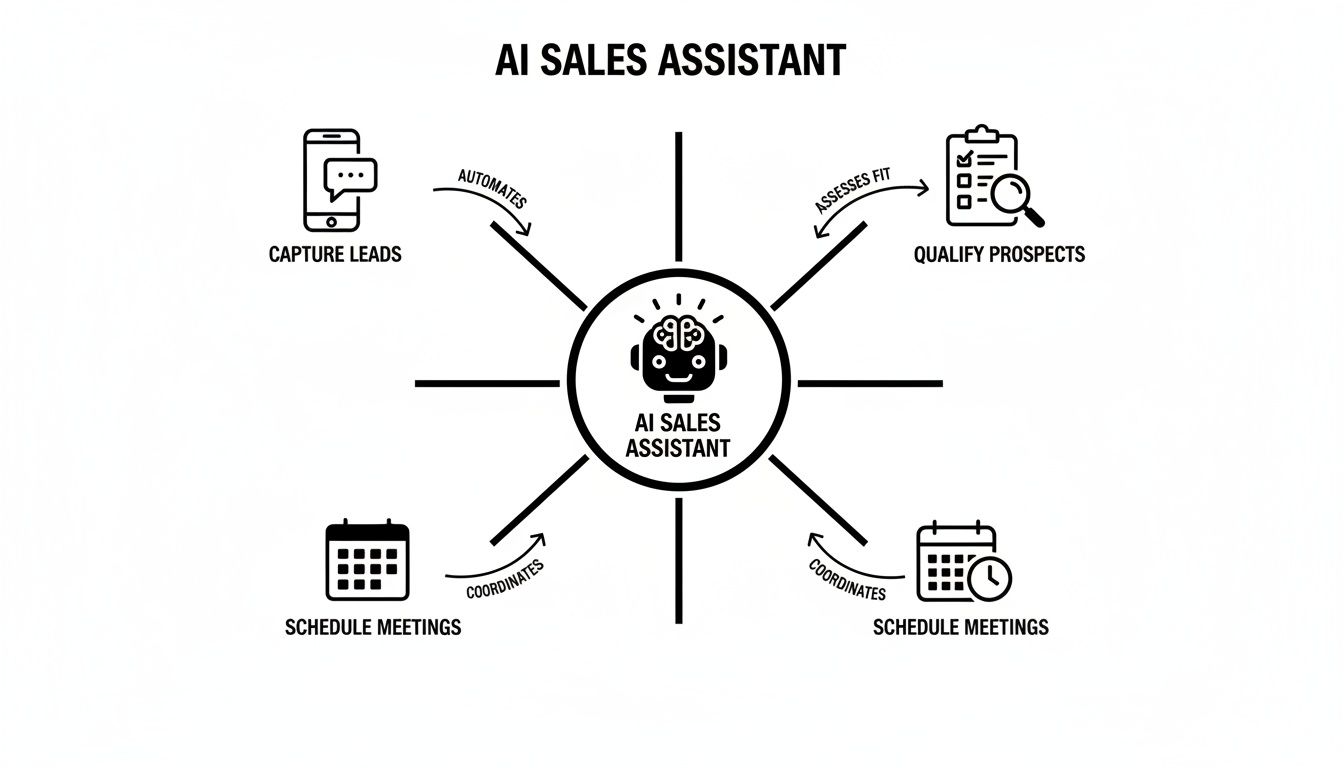
As you can see, the AI’s job isn't just to pick up the phone. It's to actively nudge a lead along to the next step in your sales process.
For example, our AI receptionist at My AI Front Desk can:
This workflow is a lifesaver for businesses that already have a good flow of inquiries but are struggling to keep up, leading to frustrating missed calls and lost sales.
The second workflow is all about outbound lead acquisition. This is the proactive side of your sales machine, where the AI assistant goes out and creates new business opportunities instead of just waiting for the phone to ring. It's about turning a cold or lukewarm list of contacts into genuine, sales-ready leads.
Here, the AI acts as an automated outbound dialer. You just load up a contact list, and the AI will systematically call each person, delivering a consistent, personalized pitch every time. It can handle those initial awkward conversations, navigate common objections, and pinpoint the people who show real interest.
An AI-powered outbound campaign is like having a tireless sales development team that makes thousands of calls without ever getting discouraged. Its sole focus is to sift through a large list and hand-deliver only the warmest leads to your human closers.
Once it finds an interested prospect, the AI can transfer the call to a live agent or schedule a follow-up meeting. This makes your sales team incredibly efficient because they spend their time talking to pre-qualified leads, not dialing endless numbers. My AI Front Desk’s outbound dialer, for instance, is built to run these campaigns at scale, making this kind of proactive outreach a real possibility even for small businesses.
To help you see the difference clearly, here's a quick comparison of the two workflows.
Both approaches are designed to fill your pipeline, but they start from different ends of the sales process.
This kind of automation is a game-changer for freeing up your team. Research shows that manual tasks eat up a huge chunk of a salesperson's day, but AI can automate things like data entry and follow-ups. In fact, this can boost sales productivity by up to 40% and shorten sales cycles by 25%.
Understanding these two workflows is the first step toward building a more powerful sales process. You might also be interested in our guide on designing custom AI workflows for your business.
Dipping your toes into the world of AI sales assistants can feel like walking through a massive, noisy street market. Every vendor is shouting about growth and efficiency, but the features that actually make a difference are what separate a game-changing business tool from a fancy gadget that just collects dust.
It’s not about finding the longest feature list. It's about finding the capabilities that solve your biggest headaches.
Think of it like this: you wouldn't buy a Ferrari to haul lumber. A sports car is fast and flashy, but it’s the wrong tool for the job. In the same way, an AI assistant with a bunch of cool but irrelevant features won’t help you book more appointments or close more deals. You need to look under the hood at the core functions that will push your business forward, day in and day out.
The absolute most important thing to get right is the quality of the AI's conversation. An assistant that sounds like a robot from a 90s movie or gets confused by simple questions will do more harm than good. It’ll frustrate callers and you'll end up losing leads you would have otherwise captured.
This is where the tech behind the curtain really counts. Look for solutions built on top of advanced AI models like GPT-4. These models are designed to grasp context, understand nuance, and follow human speech patterns. The result is a conversation that feels natural, not forced. A truly smart AI can handle curveball questions and steer the conversation smoothly toward a goal, whether that’s booking a demo or gathering new client info.
A top-tier AI sales assistant doesn't just read from a script; it has a real conversation. The whole point is for your customers to feel heard and helped, not like they're fighting with a clunky phone menu.
Beyond a great conversation, your AI assistant needs the right set of tools to actually plug into your business. Without these practical features, even the smartest AI is just an interesting piece of tech sitting on an island.
Here are the non-negotiables to look for:
These features are the bridge between cool AI technology and real-world results. They turn a smart program into a genuine member of your team. If you want to see how different tools stack up, a good guide on the best AI tools for sales prospecting can offer some great perspective.
Finally, you have to think about how the tool performs when things get busy and how it will grow with you. For most small businesses, call volume isn't a steady trickle—it comes in waves. A sudden marketing push can create a flood of calls that would completely swamp a human receptionist.
This is where a feature like unlimited parallel call handling becomes a secret weapon. It means the AI can answer ten, fifty, or even hundreds of calls at the exact same moment. No one ever hears a busy signal. No one gets dumped into voicemail. Every single lead is captured and engaged, right then and there. This one capability alone can radically boost your lead capture rate and deliver a massive return.
To get a full picture of what's out there, it helps to explore a complete list of what these tools can do, like the one in the My AI Front Desk features guide.
Bringing an AI sales assistant into your business is a lot easier than you might think. You can forget any visions of a complicated, months-long IT project. Today's platforms are built for busy entrepreneurs, not tech wizards. This practical, four-step roadmap breaks down the setup process, getting you from an idea to a fully working AI assistant in no time.
To make this real, let’s walk through a quick example. Imagine a local law firm, "Apex Legal." They're losing potential clients because they miss calls after hours and want to make sure anyone can book a consultation, day or night. We'll use their story to see how each step works.

Before you even think about settings, you need to answer one simple question: "What is the single biggest problem I want this AI to solve?" If you try to make it do everything at once, you’ll just end up confused. It's much better to focus on one clear, measurable goal.
Your objective could be any number of things, like:
For Apex Legal, the objective is crystal clear: Capture every after-hours call and book qualified consultations. This one goal will shape every other decision they make during setup.
Next up, you have to "teach" the AI how to talk about your business. Think of it like giving a new human receptionist a script and a company FAQ sheet. You'll feed it the specific details it needs to answer questions correctly and steer conversations the right way. You're basically building the AI's brain.
You'll customize things like conversational scripts, answers to common questions, and what info it needs to get from callers. For instance, Apex Legal would upload details about their practice areas (like family law or personal injury), their office hours, and the key questions to ask to see if a caller is a good fit.
This step is absolutely critical for making the AI sound like it's part of your brand. A well-trained AI sales assistant should feel like an informed team member, not some generic robot reading a script.
An AI assistant really starts to shine when it’s connected to the other tools you already use. This step is all about building a seamless bridge between the AI and your existing software, which is usually as easy as clicking a few buttons.
The most important integration for almost any service business is the calendar. By connecting your AI to your Google Calendar, it can see your team's real-time availability and book appointments directly into open slots. This gets rid of the endless back-and-forth emails and phone tag that kills so many leads. Platforms like My AI Front Desk make this incredibly simple.
Apex Legal connects the AI to their main scheduling calendar. Now, when a potential client calls at 9 PM, the AI can see an open slot at 10 AM the next day and book the consultation on the spot. It then sends an instant confirmation to both the client and the firm.
With your goal set, your AI trained, and your tools connected, you're ready to go live. This is the fun part. You can forward your existing business number or get a new one, and your AI assistant starts working for you immediately.
But the job isn’t done just yet. The final piece of the puzzle is to keep an eye on performance through an analytics dashboard. This is where you track the key numbers that tie back to your original objective. For Apex Legal, they’ll be watching the number of after-hours calls answered, appointments booked, and leads captured. This data gives them a clear look at their return on investment, showing exactly how the AI sales assistant is helping the business grow from day one.
Bringing an AI sales assistant on board isn't just a tech upgrade; it's a real investment in your company's future. But how do you know it's actually paying off? Once you get past the cool features, the proof is in the numbers. Measuring your return on investment (ROI) changes the conversation from "what does it do?" to "what did it earn for me?"
Thankfully, tracking performance isn't as complicated as it sounds. It really just boils down to keeping an eye on a few key performance indicators (KPIs) that connect what the AI does directly to your bottom line.
By focusing on real, tangible results, you can see exactly how this automation is driving revenue and cutting down on your operational costs. This data-first approach gives you a clear, undeniable picture of the value your new assistant is bringing to the table.

Most decent AI sales assistant platforms, including My AI Front Desk, will give you an analytics dashboard right out of the box. Think of this as your command center for measuring ROI. The trick is not to get lost in a sea of data but to zero in on the metrics that truly matter.
Here are the core KPIs you should be watching:
Measuring ROI isn't just about justifying a monthly bill. It's about understanding which parts of your sales funnel are getting the biggest boost from automation. That way, you can double down on what’s working and tweak what isn’t.
If you want to put a hard dollar value on your AI's performance, you can use a pretty straightforward formula. This is how you translate those metrics into a clear financial picture.
First, figure out the total value your AI assistant generated.
Total Value = (Number of AI-Booked Appointments x Average Value of an Appointment)
Let's say your AI booked 20 appointments this month, and you know that, on average, each appointment is worth about $250 to your business. That means the total value generated is $5,000.
Next, you just need to calculate your net return:
Net Return = Total Value - Cost of the AI Assistant
So, if your AI subscription is $200 a month, your net return is a cool $4,800 ($5,000 - $200). It's simple math, but it powerfully shows how a small investment can capture a ton of otherwise lost revenue.
The rapid growth of this technology really speaks for itself. The AI sales assistant software market was already over USD 2.9 billion in 2025 and is expected to rocket to USD 20.5 billion by 2035. That kind of explosive growth is happening because businesses are seeing a tangible ROI from automating their sales processes. You can discover more insights about this growing market and its impact.
For small businesses, this translates directly to AI receptionists capturing more leads around the clock and proving their worth with cold, hard data.
Let's be honest, bringing new technology into your business always comes with a bit of healthy skepticism. It's smart to ask the tough questions. When it comes to AI sales assistants, most business owners I talk to have the same handful of valid worries. To get past the hype, we need to tackle these fears head-on.
You're probably wondering if an AI can really capture your brand's voice, or if it's just another complicated piece of software you'll have to babysit. Let's break down the biggest objections and see how today's tools are designed to solve these exact problems.
This is the big one. The number one fear is that an AI will sound clunky and alienate the very people you’re trying to help. Early chatbots absolutely earned this reputation, but the technology we have now is in a completely different league. Modern AI sales assistants are powered by sophisticated models like GPT-4, which are built for natural, fluid conversation.
Instead of just following a rigid script, they can understand context, field unexpected questions, and even adapt their tone. This gets even better with premium voice libraries that offer a whole range of human-like voices, making sure the interaction feels personal and genuinely helpful.
The goal isn't to trick a customer into thinking they're talking to a person. It's about providing an experience so smooth and efficient that the distinction doesn't even matter. The real focus is on solving the customer's problem quickly and professionally.
The phrase "implementing an AI system" can conjure up images of complex coding and spending hours on the phone with tech support. But platforms like My AI Front Desk were built specifically for business owners, not IT wizards. The whole experience is designed to be intuitive and simple.
You don't need any technical skills to get it running. The setup process is usually pretty straightforward:
The entire system is managed from a clean dashboard, so making changes on the fly is quick and painless.
Handing over customer conversations to a third-party platform understandably brings up questions about data privacy and security. This is a critical point, and any reputable provider takes it very seriously. Leading AI sales assistant platforms are built with robust security measures to protect both your business and your customers.
These measures almost always include data encryption—both for data that's moving and data that's stored—to keep conversations confidential. These platforms also operate under strict privacy policies that spell out exactly how your data is handled and protected. Always look for a provider that’s transparent about its security protocols. This way, you can automate parts of your sales process without cutting corners on safety.
Ultimately, the choice isn't always about picking a human or an AI. Many businesses strike the perfect balance by letting technology handle the repetitive, time-consuming tasks so their people can focus on building relationships. You can dive deeper into this in our guide on AI versus human interaction in customer service.
Got questions about bringing an AI sales assistant on board? You're not alone. Here are some quick, straightforward answers to the things small business owners usually ask.
Not a chance. Think of an AI sales assistant as a force multiplier for your team, not a replacement. It’s built to crush the high-volume, repetitive stuff—like answering the first call, asking qualifying questions, and booking appointments at all hours of the day.
This frees up your people to focus on what they do best: building relationships, closing complex deals, and thinking strategically. The AI handles the grind, so your team can focus on growth. It doesn't replace them; it makes them better.
Most of these tools run on a subscription, usually priced based on how much you use them. You'll typically see costs tied to the number of minutes the AI is on the phone or how many conversations it handles in a month.
Plans are surprisingly affordable, often starting under $100 a month for the basics. As your call volume or feature needs grow, the price scales up. The real question isn't the cost, but the return. Weigh that monthly fee against the money saved on labor, the revenue captured from leads you would have missed, and the direct impact of more appointments on your calendar.
This is one of the best parts. Modern AI sales assistants are designed for speed. Most businesses can get one fully configured and running in under an hour. That means you can start seeing a return on your investment almost immediately.
Once you flip the switch, the assistant is live 24/7, fielding calls and engaging leads. You'll likely see a real drop in missed calls and a noticeable uptick in booked appointments within the first few days.
Honestly, any business that relies on phone calls, texts, or web forms to book appointments and bring in new leads is a perfect fit. It’s a game-changer for local and service-based businesses where every single call could be a new job.
Think about it:
If your team is swamped with calls or you’re looking to run outbound campaigns without adding headcount, an AI assistant is exactly what you need.
Ready to see how an AI assistant can transform your business operations? At My AI Front Desk, we provide powerful, easy-to-use AI receptionists and outbound dialers designed to help you capture every lead and book more appointments. Start your free trial today and experience the difference.
Start your free trial for My AI Front Desk today, it takes minutes to setup!


