
To have any hope of increasing your sales conversions, you first need to know where you stand. It's all about establishing a clear baseline of your current performance. This means taking a hard look at your customer's journey to find the exact spots where they drop off and tracking the metrics that really matter, like how fast you get back to a new lead.
Only by knowing your starting point can you build an effective strategy to get where you want to go.
You can't improve what you don't measure. It’s a classic business saying for a reason. Before you even think about new tactics or fancy tools, the first essential step is an honest audit of your current sales process.
Don't worry, you don't need a data science degree for this. It just requires a simple framework for understanding how a potential customer moves from "just looking" to "sold" and, more importantly, where the leaks are in your funnel. This process gives you the data-backed starting point you need to make real, meaningful improvements.
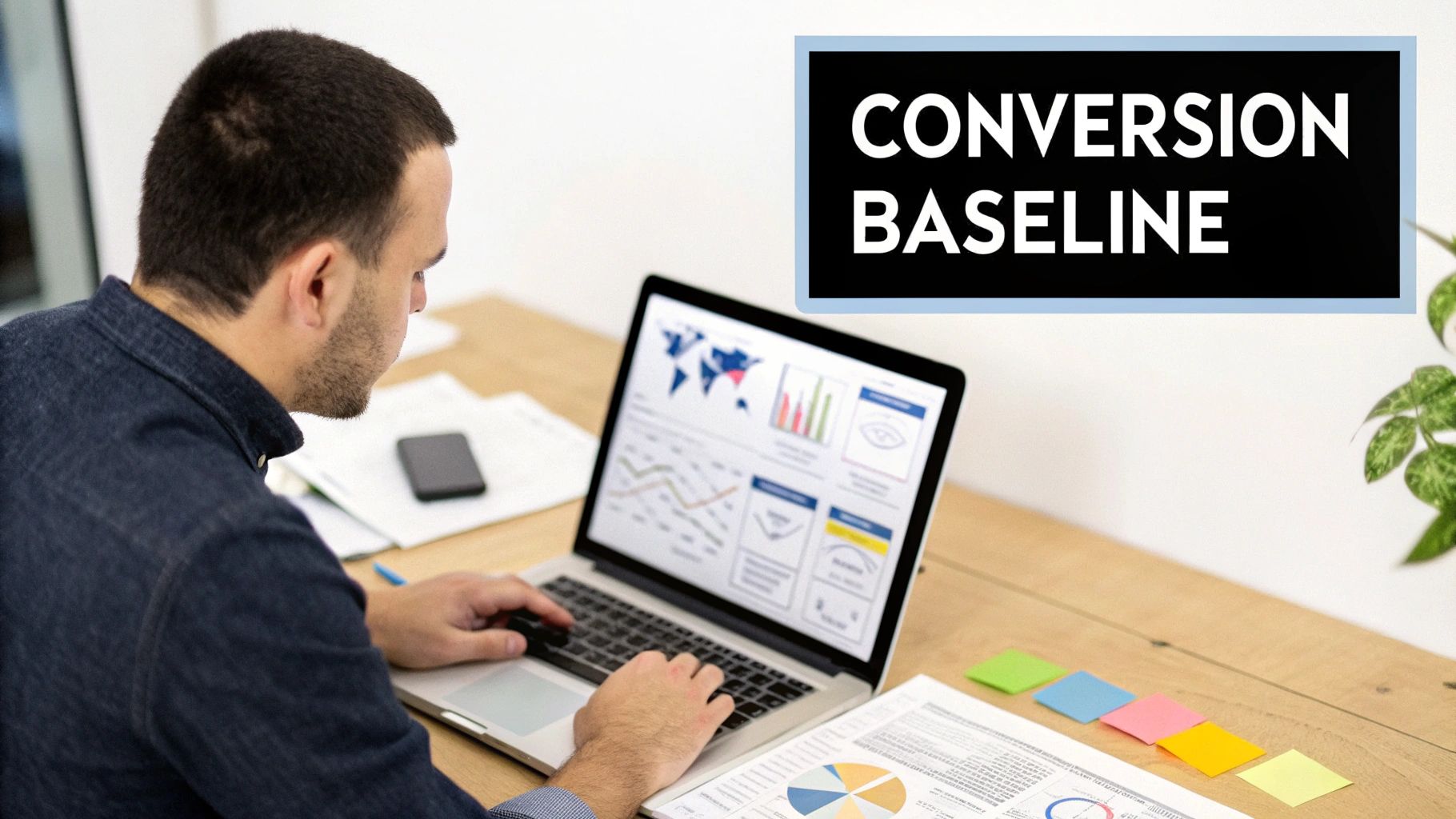
First things first, grab a whiteboard or open a doc and visualize every single touchpoint a customer has with your business. Start from the very beginning—that moment of initial awareness—and walk it all the way through to the final purchase.
Where do people find you? Is it a Google search that lands them on your site? A social media ad? A referral from a happy client? From there, what happens next?
Think through each potential step in their journey:
For each of these stages, ask yourself: where's the friction? Do callers get stuck in a confusing phone menu? Are your website forms asking for way too much information? Pinpointing these specific moments of frustration is how you find out why good leads are slipping through your fingers. If you're running an online store, getting this right is critical. For more on that, check out a practical guide to improving ecommerce conversion rates.
Once you’ve mapped out the journey, it’s time to focus on the numbers that actually matter. For a small business, it's easy to get buried in complex analytics. Don't fall into that trap. Instead, zero in on a few high-impact metrics that tell a clear story.
The average global eCommerce conversion rate hovers around 1.9%, but the top-performing stores consistently hit over 3%. That gap represents a massive opportunity for any business that’s willing to optimize its sales process.
You can track these vital signs right from a simple dashboard, like the one in My AI Front Desk. Here’s what I recommend starting with:
To give you a sense of where you stand, it helps to know what "good" looks like. Here’s a quick reference table showing average conversion rates across different marketing channels. Use this to benchmark your own performance.
Don't get discouraged if your numbers are on the low end. This is just your starting line. Even small, incremental improvements can place you far ahead of the competition. This initial audit gives you the clear, data-backed foundation you need for all the strategies we'll cover next.
Alright, you've got your baseline numbers. Now it's time to plug the leaks in your inbound funnel.
Think about it: every single call, text, or website form is a high-intent prospect actively looking for what you offer. Letting those slip away is literally leaving money on the table. For a small business, that's a mistake you just can't afford to make.
The goal here isn't to work harder; it's about building a smarter system that ensures no opportunity ever falls through the cracks.
Today's customers expect an answer now. If they call your business only to get a busy signal or hit voicemail, they aren't going to leave a message and patiently wait. They're just going to call your competitor. This is where a 24/7 AI receptionist completely changes the game.
Imagine someone calls you at 9 PM on a Tuesday. Instead of that call going unanswered, they're greeted by a professional, intelligent AI. This isn't a clunky robot; it's a system that can answer common questions, capture their details, and even book an appointment right into your calendar.
Even better, a tool like My AI Front Desk can handle unlimited parallel calls. This means if ten people call at the exact same time, all ten get an immediate, personal response. No one ever gets put on hold or sent to a dead end. That's how you maximize lead capture.
A truly effective inbound system doesn't just answer the phone—it steers the conversation toward a conversion. This comes down to having smart, well-designed scripts that handle common situations with precision.
Here are a couple of scenarios an AI can handle flawlessly:
By preparing for these common interactions, you turn routine calls into structured conversion opportunities. If you're looking for more ways to fill the top of your funnel, you can also explore some creative ways to generate leads for a marketing agency that pair perfectly with a strong inbound process.
It's no secret that we all live on our phones. But there's a huge gap in how most businesses handle mobile leads, and that gap is a massive opportunity if you know how to close it.
Here's a number that should make you sit up straight: Desktop users convert at 5.06%, but mobile users—who make up about 65% of all traffic—convert at only 2.49%. You can dig into more of these conversion rate optimization statistics to see what this really means for your business.
So, how do you bridge that divide? Simple: you meet mobile users where they are, using the communication channels they prefer.
This is where AI-powered texting workflows become indispensable. Let's say a customer calls from their cell but can't talk at the moment. Your AI receptionist can instantly send a text: "Hi, this is the virtual receptionist for [Your Business]. I noticed you just called. How can I help you via text?" This simple move keeps the conversation going.
Integrating a direct calendar booking link into that text makes it incredibly easy for an on-the-go customer to take the next step. No navigating a clunky website on a tiny screen—just one tap to book a time.
That first conversation is your golden opportunity to gather the intel you need to close the deal. Generic "name and email" contact forms just don't cut it anymore; they fail to separate the hot leads from the tire-kickers.
This is where smart features make all the difference.
When you use features like these, every inbound contact becomes more than just a name and number. It becomes a rich, qualified sales opportunity, setting your team up for a much, much higher close rate.
Getting your inbound funnel humming is a huge win, but why wait for leads to come to you? Sitting back and relying only on people finding you is a surefire way to slow your growth. If you really want to light a fire under your sales numbers, it's time to go on the offensive with proactive outbound campaigns.
This isn’t about dragging out those old, aggressive cold-calling scripts from a dusty binder. We're talking about smart, AI-driven strategies that engage prospects with timely, relevant, and personalized messages that actually feel helpful. The idea is to warm up your existing lead database and turn those forgotten contacts into real, active sales conversations.
Every small business owner knows the feeling. Your CRM is a graveyard of leads that went cold. Maybe they asked for a quote months ago, showed up for a webinar, or downloaded a guide but never pulled the trigger. These aren't dead ends; they're goldmines waiting to be rediscovered.
An AI-powered campaign is the perfect tool for this exact job. It can effortlessly work through hundreds or even thousands of these sleeping contacts, no manual dialing required. By tapping directly into your CRM, the AI can reference past interactions, making the outreach feel personal and context-aware, not like it's coming out of the blue.
Key Takeaway: A smart outbound strategy isn't just about chasing new leads. It’s one of the most powerful ways to reactivate the revenue potential that's already sitting in your CRM, getting more bang for your original marketing buck.
Imagine launching a campaign that targets every prospect who got a quote more than six months ago but never signed up. The AI can call or text them with a tailored message, effectively reviving that conversation at a scale you could never manage on your own.
The line between an annoying cold call and a valuable touchpoint all comes down to the script. Generic, one-size-fits-all messages are deleted on sight. But personalized, genuinely helpful outreach? That gets responses. With a system like My AI Front Desk, you can build out multi-channel campaigns that strategically call, text, and email leads with surgical precision.
Here are a couple of practical script ideas you can steal and adapt.
Example 1: AI Phone Script for Old Quotes
Example 2: AI Text Script for a Special Offer
See the pattern? Both scripts are designed to start a conversation, not to ram a sale down someone's throat. The goal is to warm up the lead and hand them off to a human sales rep once they've shown they're interested. For more industry-specific ideas, check out these examples of successful AI outbound campaigns for different business verticals.
Let's be real: not every lead is ready to buy the second they reach out. Some people need time, a little space, and some gentle nurturing. Proactive outbound is perfect for staying top-of-mind without becoming a nuisance.
You can set up automated "drip" campaigns that touch base with these lukewarm leads over weeks or even months.
This multi-touch, multi-channel approach builds familiarity and trust over the long haul. So, when that prospect is finally ready to make a move, your company is the first one they'll think of. This methodical follow-up system dramatically boosts your chances of converting leads that would have otherwise slipped through the cracks, creating a powerful engine for predictable growth.
A clunky, disconnected sales process is a conversion killer. It’s a silent drain on your revenue. When your tools don't talk to each other, critical lead information gets lost in the shuffle, follow-ups are inevitably missed, and your team wastes precious time on manual data entry instead of what they do best—selling.
The fix isn't about buying more software. It's about making the software you already use work together. By connecting your front-end communication tools (like My AI Front Desk) with your back-end systems (like your CRM), you create a smooth, automated journey that captures, qualifies, and nurtures leads without anyone having to lift a finger.
Think of integrations as the bridges that connect your separate software islands. A perfect example is linking My AI Front Desk with your Customer Relationship Management (CRM) software. On their own, they're both powerful. But when you connect them? You create a self-running sales machine.
The key to making this happen is a service like Zapier, which acts as a universal translator for thousands of different apps. It lets you create simple "if this, then that" rules—or "Zaps"—that automate tasks across platforms. This isn't just a time-saver; it prevents the kind of costly human errors that lose you sales.
I’ve seen the numbers, and they’re staggering. One study found that sales reps spend only about 28% of their week actually selling. The rest of that time is eaten up by administrative chores. Automation gives you that time back and puts it squarely into revenue-generating activities.
Imagine a potential customer calls your business after hours. Your AI receptionist answers, qualifies their needs, and books an appointment right into your calendar. That’s already a huge win. But with integrations, it gets so much better.
With a connected workflow, the moment that appointment is booked, a chain reaction of automated tasks kicks off instantly:
This isn't some far-off concept; it's a practical blueprint for boosting your conversion rate right now. You’re building a system that guarantees every single lead is captured, logged, and assigned for follow-up without fail. For a deeper dive, our guide on how to automate business workflows lays out even more advanced strategies.
This proactive outreach flowchart shows exactly how you can systematically nurture, re-engage, and promote to your leads, turning cold lists into warm opportunities.
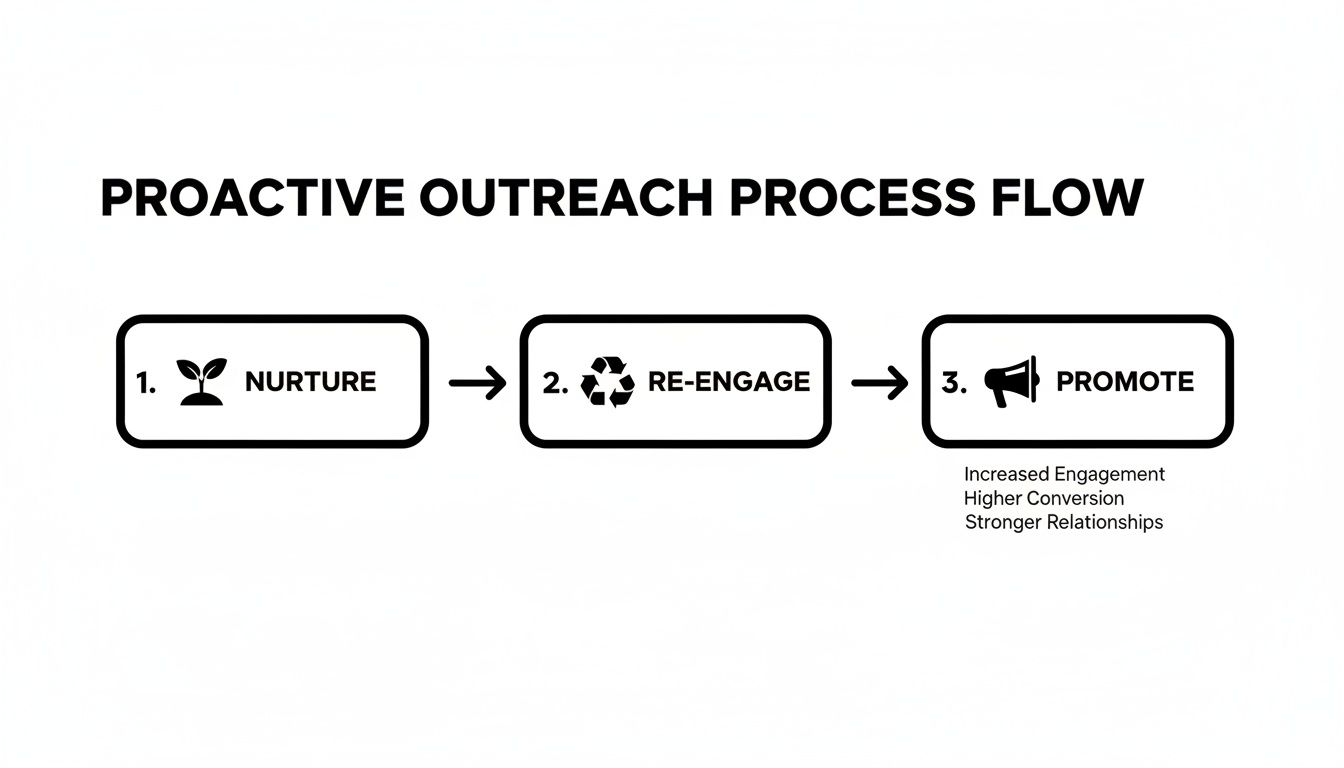
As the visual shows, it’s all about creating a continuous cycle of opportunity—moving from initial interest to re-engaging past leads and then promoting specific offers.
Let's look at how this plays out for different types of small businesses. A connected system is incredibly flexible and can be adapted to almost any industry, turning manual chores into automated advantages.
For a Home Services Company:
A lead calls for a quote. The AI receptionist gathers their address and service needs. This instantly creates a new deal in the CRM, calculates a preliminary estimate using your integrated pricing data, and emails the quote to the customer. The entire process takes just a couple of minutes.
For a Digital Marketing Agency:
A prospect books a discovery call through the AI. Zapier immediately adds them to a specific email list in your marketing platform, sending them a pre-call welcome packet with case studies relevant to their industry. Your consultant walks into the call prepared, and the lead is already warmed up and impressed.
These automated workflows do so much more than just save time. They create a professional, lightning-fast experience for your customers from the very first touchpoint. When leads are handled this efficiently, they feel valued and are far more likely to convert. This is how you stop leads from falling through the cracks and free up your team to focus on what truly matters: closing deals and growing the business.
A great sales process isn't something you set and forget; it's a living, breathing part of your business. To really get good at turning leads into customers, you have to treat your strategy like a playbook that gets updated after every game. This is how you stop chasing one-off fixes and start building a real engine for growth.
This isn't about getting lost in a sea of spreadsheets, either. It’s about creating a simple, powerful feedback loop: listen to your customers, figure out what’s working (and what’s not), and make smart adjustments. When you do this, optimization stops being a project and becomes a core business habit.
Your customer conversations are an absolute goldmine. Every single call, whether it ends in a sale or not, is packed with clues about what your customers need, their common hesitations, and whether your messaging is actually hitting the mark. The trick is knowing how to get to this information without spending all day on it.
Inside My AI Front Desk, you have all the data you need to start making these refinements. You can get a full rundown of these features by checking out the My AI Front Desk analytics dashboard to see them in action.
To get started, just focus on a few core metrics:
One of the most powerful ways to improve is by reviewing call recordings and transcripts. Don't let this stuff just sit there. Use it as your primary tool for tweaking your sales scripts and making your AI even smarter.
Set aside a little time each week to listen to a handful of calls, especially the ones that didn't convert. What are the questions that keep popping up? Where do people seem to get stuck?
A common objection isn't a dead end; it's a roadmap. It tells you exactly what information is missing from your sales pitch or where your value proposition isn't landing clearly.
For example, if you hear a lot of callers asking, "Is there a long-term contract?" that’s a huge signal. You can immediately update your AI receptionist’s script to bring up your flexible month-to-month options early in the conversation. Just like that, you've removed a point of friction before it even becomes a problem.
Once you spot an area for improvement, the next move is to test your new approach. This is where A/B testing, or split testing, comes in. It sounds technical, but it’s really just a simple way of comparing two versions of something to see which one works better.
You don't need any complicated software for this. The process is pretty straightforward:
You can use this exact same thinking for your outbound campaigns. Test different text message offers or AI calling scripts to see which message gets the best response. This constant experimentation is a core part of modern sales. For more great ideas, check out these actionable conversion rate optimization tips.
This cycle of listening, hypothesizing, and testing is what separates businesses that stay stuck from the ones that achieve consistent, long-term growth.
When you're digging into conversion optimization, a lot of questions come up. Here are some of the most common ones I hear from small business owners trying to sharpen their sales process.
You need to be on it within five minutes. I'm not exaggerating—study after study shows the odds of actually qualifying a lead fall off a cliff after that.
This is where having an AI receptionist is a total game-changer. It gives an immediate, professional response 24/7, grabbing the lead's info and booking them right when their interest is highest. It completely solves the speed problem, ensuring you never lose an eager lead to a competitor just because you were on another call or grabbing lunch.
Easy. The single most expensive mistake is not having a structured, consistent follow-up plan. So many businesses throw their budget into getting new leads, only to let them die on the vine.
If a lead isn't ready to buy right away, they get tossed into a CRM and forgotten. That's just burning money.
The fix is to automate your follow-up. A system with an AI outbound dialer or a solid CRM integration makes sure every single lead gets consistent touches—calls, texts, emails—until they either convert or ask you to stop.
This methodical approach keeps good opportunities from slipping through the cracks and actually maximizes the return on your marketing dollars.
Absolutely. In fact, that's the whole point of what we're talking about here—conversion rate optimization (CRO). The goal is to get more out of the leads you already have.
Instead of just dumping more money at the top of the funnel, you're making the funnel itself work better. By focusing on a few key areas, you can see real growth without touching your ad budget:
Honestly, this is one of the most cost-effective ways to grow. You’re just making the money you already spend work harder for you.
You track, and you test. Guessing is a recipe for staying exactly where you are. If you're serious about figuring out how to increase sales conversion, you have to look at the data.
A system like My AI Front Desk gives you the tools to do this right. You can dive into call recordings and transcripts to hear exactly how people are reacting to your scripts. Are they confused? Do they keep asking the same question? Are there awkward pauses?
Listen for those friction points. Then, whip up a "Version B" of your script and let it run for a week or two. After that, pop into your analytics dashboard and compare the results. Look at hard numbers, like appointments booked. This constant cycle of testing and refining is how you build scripts that actually work.
Ready to stop letting good leads go cold and start turning them into paying customers? My AI Front Desk gives you the 24/7 AI Receptionist and automated outbound campaigns to make it happen. Book a demo today and see it for yourself.
Start your free trial for My AI Front Desk today, it takes minutes to setup!


