
At its heart, call centre call recording software is a tool that automatically captures and stores phone conversations between your team and your customers. Think of it as game-film analysis for your customer service or sales team. Just like a coach reviews plays to sharpen performance, you can review interactions to see what’s working and where you can improve.
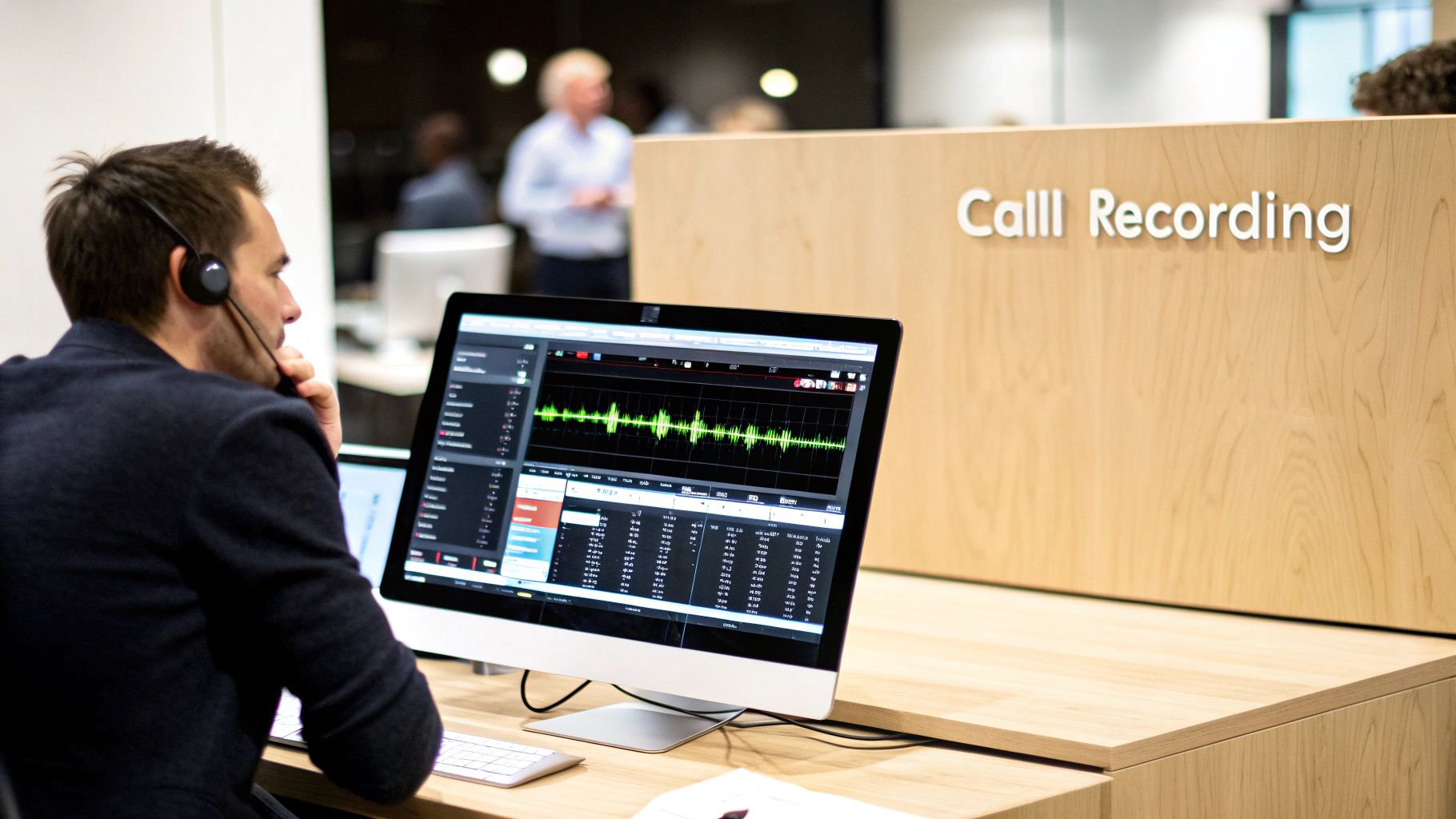
This kind of software has moved way beyond just hitting "record." It’s evolved into a powerful business intelligence tool. Instead of just a pile of audio files, you get a searchable, organized library of every conversation. This turns raw audio into a goldmine of insights for understanding your business on a much deeper level.
We've come a long way from the old days of clunky tape recorders and manual logs. Today’s call centre call recording software is typically an intelligent, cloud-based platform that does much more than just playback. It’s now a critical source of data for several key parts of your business.
The main goal is to create an objective, verifiable record of every interaction. This single source of truth serves a few vital purposes for any business that cares about growth and keeping customers happy.
Here are the main ways it helps:
To give you a clearer picture, here’s a quick breakdown of what any solid call recording software should be doing for you.
This table breaks down the essential capabilities business owners should look for in any modern call recording solution.
Ultimately, these core functions work together to create a system of record you can truly rely on.
Not too long ago, call recording systems were on-premise solutions. This meant buying expensive physical hardware and having a dedicated IT person on hand to maintain it all. It was a setup that only made sense for massive corporations with deep pockets.
Today, things are completely different. Cloud-based solutions have made this technology available to everyone, offering affordable and accessible options for businesses of all sizes. Instead of managing servers, you get a secure, scalable solution that just works.
This is a huge deal. It means small businesses and agencies can now tap into the same powerful tools that were once reserved for enterprise-level call centers. With a modern cloud platform, you get automated recordings, secure storage, and even advanced analytics—all without the huge upfront investment or technical headaches. It has truly leveled the playing field for customer service excellence.
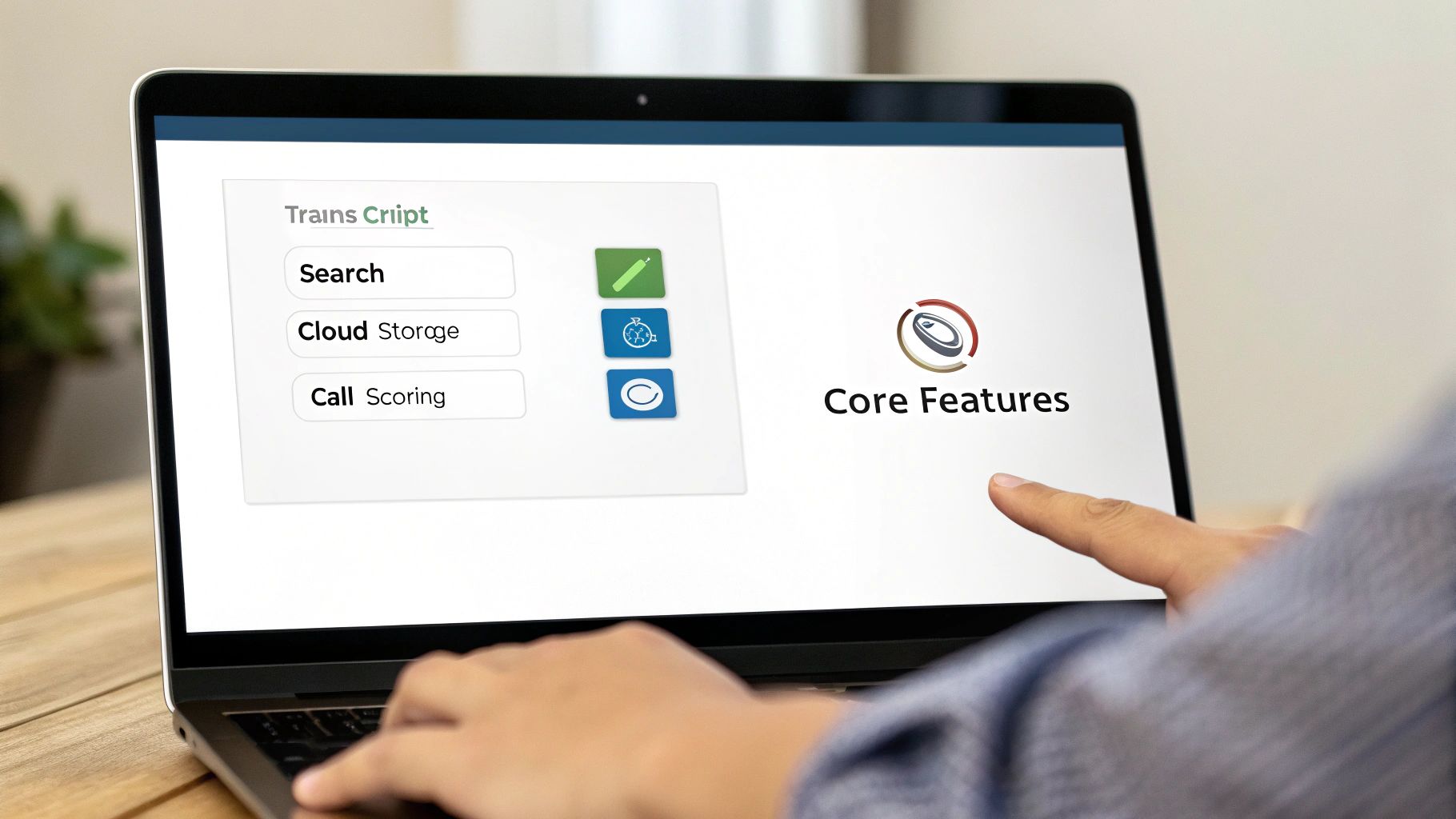
Let's be clear: not all call recording software is created equal. While the basic job of capturing audio is a given, the real magic lies in the details. The right features can turn a simple audio archive into an engine for growth, training, and keeping customers happy.
The absolute baseline is automated recording. This means every single inbound and outbound call gets captured without an agent ever having to lift a finger. It creates a complete, unbiased record of every interaction, which is the bedrock for any quality assurance program worth its salt.
Then you have secure, cloud-based storage. Storing recordings in the cloud means you can access them from anywhere, they're protected with top-notch encryption, and you don't have to worry about managing your own servers. It also makes pulling up a specific call way faster.
Picture this: you need to find one specific five-minute conversation from thousands of hours of audio. It’s an impossible task without the right tools. Thankfully, modern software has solved this with powerful search and filtering.
You should be able to instantly track down recordings using a handful of criteria:
This kind of functionality is a lifesaver for resolving disputes quickly or finding those "gold standard" calls to use in your next training session.
Effective feedback isn’t just about opinions; it’s about data. The best quality management features give you the tools to deliver precise, actionable coaching that genuinely helps agents level up their game. Two of the most important features here are call scoring and annotations.
Call scoring lets managers grade interactions against a standard scorecard, keeping evaluations fair and consistent across the team. Annotations, on the other hand, let you drop time-stamped notes right onto a recording's timeline, pointing out moments of brilliance or areas that need a little work. If you want to see how this works in practice, check out our guide on how to allow call recordings in My AI Front Desk.
These tools shift coaching from vague advice like "be more empathetic" to concrete feedback like, "At the 2:15 mark, if you had rephrased the customer's concern back to them, it would have shown much stronger active listening."
Today, the most impactful features are all driven by artificial intelligence. AI takes all that unstructured audio data and transforms it into structured, actionable insights, saving you countless hours of manual review.
Automated transcription is a total game-changer, creating a searchable text version of every single call. Building on that, sentiment analysis can automatically gauge the emotional tone of a conversation, flagging calls where a customer was either frustrated or thrilled. This lets managers prioritize which recordings to review, focusing their attention right where it’s needed most. These AI-powered tools are what help you truly understand your customers at scale.

Recording calls opens up a world of benefits for your business, but it comes with a serious responsibility: you have to respect privacy and follow the law. This part can feel a little intimidating, but once you get the hang of the core principles, it’s completely manageable. The goal is to use call centre call recording software with confidence, minus the legal headaches.
At the heart of it all is one simple concept: consent. The tricky part is that the rules for getting consent change depending on where you and your customer are, creating a patchwork of regulations you have to navigate. This isn't just a suggestion; it's a non-negotiable part of using this technology.
The global push for better data privacy has made compliance a top priority. Strict regulations, especially in banking and healthcare, are now the norm. In fact, by 2025, North America held 41.12% of the market share, driven largely by rules aimed at preventing fraud. In Europe, GDPR has been a huge factor in the demand for compliant software since 2018.
The biggest distinction you need to wrap your head around is the difference between one-party and two-party consent. It’s all about who needs to know a call is being recorded.
One-Party Consent: In these places, you only need permission from one person on the call. So, as long as your own employee knows they're being recorded, you're in the clear.
Two-Party Consent: This is stricter. Here, everyone on the line has to agree to the recording. That means you have to go out of your way to tell customers or other outside callers that the conversation is being captured.
Because the laws vary so much from state to state and country to country, the safest bet is to just act as if you're in a two-party consent area for all calls. A simple, automated message at the start of a call—like, "This call may be recorded for quality and training purposes"—is usually all you need. If you want to go deeper, check out our comprehensive guide to call recording compliance.
The good news is that modern call recording platforms are built with all this in mind. They come packed with features designed specifically to help you lock down sensitive data and prove you followed the rules.
Protecting customer data isn’t just about checking a legal box; it's about building trust. Your software should give you rock-solid tools to shield every recording from prying eyes or data breaches.
Look for a solution with strong security from the ground up. End-to-end encryption is a must-have, as it scrambles your call data while it's traveling over the internet and when it's stored. Role-based access controls are also crucial; this feature lets you decide exactly who can listen to, download, or delete recordings. And for long-term safety, understanding the different types of backup is key to keeping your recordings available and compliant for years to come.
Together, these features create a secure, auditable trail that protects both your business and your customers.
For a long time, call recording was just a storage system—a digital filing cabinet for conversations. But Artificial Intelligence is changing the game entirely, turning that archive into a goldmine of business intelligence. AI can automatically sift through thousands of calls, spotting trends and opportunities that a human team could never catch on their own.
It’s like having a team of super-analysts listening to every single call, all at once.
This isn’t about just playing back a recording. Modern AI digs into the content and the context of each conversation, transforming raw audio into structured, usable data. This lets you understand what’s really making customers happy or what’s driving them away, all at a massive scale and without spending hundreds of hours listening to calls.
This shift is creating a huge wave in the industry. The broader call center AI market, which was valued at $2.41 billion in 2025, is expected to skyrocket to $13.52 billion by 2034. Features like auto-recording are a massive part of this growth, giving businesses the power to track performance and offer feedback on the spot. You can dig into more of these trends in the Fortune Business Insights research.
So, how does this actually work? AI uses some pretty powerful techniques to dissect every conversation, giving you a 360-degree view of the interaction. Two of the most game-changing features are sentiment analysis and keyword spotting.
Sentiment Analysis: This is all about measuring the emotional temperature of a call. By analyzing word choice, tone, and pitch, the AI can tell you if a customer was happy, frustrated, or just neutral. Managers can then get instant alerts for calls with negative sentiment, allowing them to jump in and solve problems before they get bigger.
Keyword Spotting: Think of this as a search engine for your calls. You can tell the AI to flag any specific words or phrases you care about. Want to track every mention of a new product? Or see how often a competitor’s name comes up? Or even just confirm your agents are using the right compliance language? Keyword spotting does it all.
Imagine you could instantly pull up a list of every single call from the last month where a customer said the word "frustrated." That’s the kind of power we're talking about. It turns your call archive from a simple record into a searchable database of customer intelligence.
Having all this data is great, but it’s what you do with it that really matters. These AI capabilities deliver practical benefits that hit your bottom line. You’re no longer relying on gut feelings or tiny sample sizes of calls. Instead, you can make sharp, data-backed decisions that improve everything from service quality to revenue.
By analyzing thousands of interactions at once, you can:
This level of insight makes your business far more agile and responsive. To see more on how this works in practice, check out our guide on the benefits of an AI conversation analytics system.
Picking the right call centre call recording software is a huge decision, one that ripples out to affect everything from how you train your team to how happy your customers are. With a sea of options out there, the trick is to zero in on what truly matters for your business. You're not just buying a tool; you're choosing a partner for growth.
One of the first forks in the road is deciding on the deployment model. Are you going to host it on your own servers, or let a provider manage it in the cloud? Getting your head around the trade-offs here is a fundamental first step. For a really solid breakdown, this guide on Cloud Vs On-Premises is a great read for anyone weighing their options.
Once you’ve made that strategic choice, you can start digging into the nitty-gritty of features and what the software can actually do.
To avoid getting overwhelmed, just create a simple checklist using these essential factors. Each one plays a big part in how well the software will actually fit into your day-to-day work and scale up when you need it to.
This flowchart gives you a great visual of how modern software turns raw call recordings into genuine business intelligence through AI.
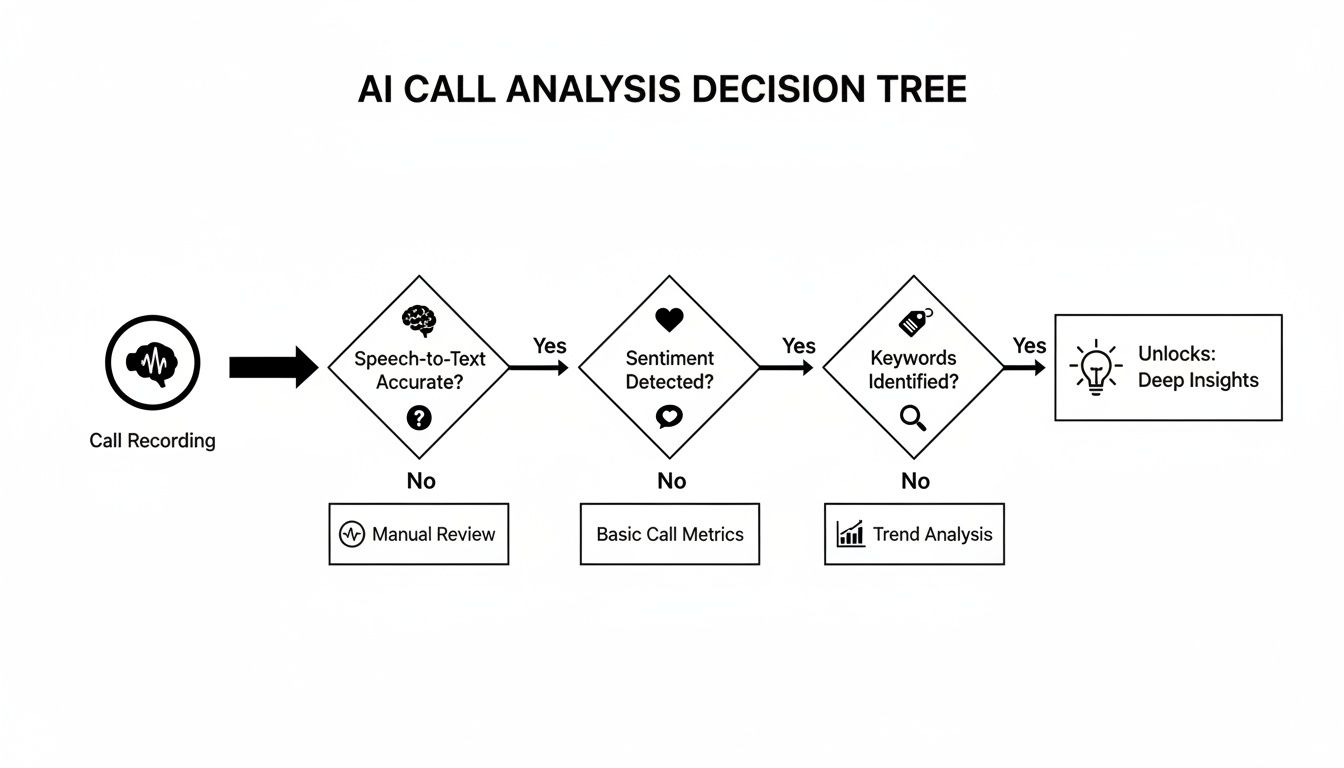
It really drives home the point that today’s software isn't just a digital tape recorder—it's an engine for finding actionable insights in your customer conversations.
Beyond the feature list, really look into the provider's setup process and what their ongoing support is like. A smooth rollout is absolutely vital, from setting up your recording rules to getting your team comfortable with the new tool. A good partner will walk you through the entire transition, making sure you get the most out of your investment from the get-go.
Choosing call recording software is less about buying a product and more about finding a long-term technology partner. Your final decision should be based on a tool that solves today’s challenges while empowering your future vision for customer experience.
The market for these tools has absolutely exploded. It grew from roughly $4.2 billion in 2023 and is on track to hit $9.36 billion by 2031. What's driving this? A massive demand for cloud-based solutions packed with advanced AI features that do more than just record.
Jumping into the world of call centre recording software can bring up a few questions. We get it. Let's walk through some of the most common ones to clear things up on the legal, tech, and practical fronts.
Yes, it is, but you have to follow the rules on consent. Generally, these laws come in two flavors: "one-party consent," where just one person on the call needs to be aware of the recording, and "two-party consent," which requires everyone's permission.
Because these rules can change from one state or country to another, the smartest and safest approach for any business is to always act as if two-party consent is the standard. A simple, automated message at the beginning of a call—something like, "This call may be recorded for quality purposes"—is usually all you need to stay compliant. If you want to get into the nitty-gritty of our approach, you can learn more about our commitment to data protection in our privacy policy.
Most modern call recording tools are built to play nicely with your Customer Relationship Management (CRM) system. This usually happens through a direct, pre-built integration or a flexible connector tool like Zapier.
Once a call wraps up, the software does the heavy lifting for you. It automatically links the audio recording, a complete transcript, and other important call details right to the customer's profile in your CRM. This gives you a single, complete timeline of every interaction, so your team has all the context they need without any manual busywork.
Absolutely. Today's cloud-based call recording platforms are designed for the way we work now—which isn't always at a desk. Whether a call is made or answered through your business number, it gets recorded no matter what device is used.
That means every conversation is captured consistently, whether it’s on a classic desk phone, a softphone on a computer, or even a personal mobile phone. This is a must-have for keeping quality high and making sure you have a complete record, especially for teams working remotely or out in the field.
Ready to see how My AI Front Desk can change the game for your customer conversations with smart, simple call recording and AI features? Our platform doesn't just record every call; it pulls out actionable insights to help you train your team, elevate your service, and grow your business. Explore our features today.
Start your free trial for My AI Front Desk today, it takes minutes to setup!


