
A well-designed customer intake form template is your first real chance to streamline how you bring new clients on board. It’s far more than simple paperwork; it's a strategic tool that sets the tone for the entire relationship by gathering the right data, the right way.

Let's be honest, filling out forms feels like a chore. But if you see your customer intake process as just another piece of administrative work, you're missing a huge opportunity. That first interaction is the very foundation of a great client relationship, turning a simple data-collection task into a powerful first impression.
Think about it from your new client's perspective. A clunky, confusing, or repetitive form immediately suggests your business might be disorganized. On the flip side, a clean, logical, and easy-to-complete form signals professionalism and shows you respect their time. This single document becomes the bedrock for a smooth workflow and truly personalized service.
I once worked with a small consulting firm that was drowning in onboarding chaos. Their process? A generic Word document clients had to download, print, fill out by hand, scan, and email back. Information was constantly missing or illegible, which meant a storm of back-and-forth emails before any real work could even begin.
Switching to a proper digital customer intake form template was a night-and-day transformation.
The move to a structured digital form had an immediate and measurable impact. Here’s what changed for them:
A well-crafted intake form does more than just collect information. It qualifies leads, sets clear expectations, and establishes your credibility before the first real conversation even starts. Think of it as your silent salesperson and frontline admin rolled into one.
This isn't just a niche trend; it's becoming the standard. As of 2024, an estimated 78% of service-based businesses are using digital intake forms. That’s a massive leap from just 45% back in 2018, highlighting how central structured data collection has become to running a modern business.
This is especially critical in fields that require tons of detail upfront. You can see how this plays out in a high-stakes environment by reading our post on the best practices for client onboarding in financial planning.
Ultimately, your intake form is the first promise you make to your clients—a promise of an efficient, professional, and client-focused experience.
A clunky, confusing form is the fastest way to lose a potential client before you’ve even had a chance to speak with them. Let's be honest, nobody enjoys filling out forms. But a great customer intake form template is more than just a list of fields; it’s about understanding the person on the other side of the screen and making their experience as painless as possible.
The core principle is simple: respect their time. A form that feels disorganized or asks for irrelevant information sends a clear message that your business might be the same way. By creating a logical, intuitive flow, you not only boost completion rates but also start the relationship off on the right foot.
Think of your form as a conversation, not an interrogation. You wouldn't jump between random, disconnected questions in a real meeting, so don't do it on your form. Group related questions together into logical sections like "Contact Information," "Project Details," or "Service Needs."
This small change makes a huge difference in how manageable the form feels. For instance, instead of scattering questions about budget, timeline, and core objectives throughout the page, pull them together under a "Project Goals" heading. This simple act of organization helps the client focus and give you more thoughtful, accurate answers.
An even more powerful technique is using conditional logic. This lets you show or hide questions based on a user's previous answers, making the form feel shorter and incredibly relevant to each individual. If a client selects "Marketing Services," they shouldn't have to scroll past a dozen questions about "Legal Consulting." This smart design respects their time and keeps them engaged.
If you’re using an AI receptionist, this is a perfect opportunity to pre-fill some of this information. You can learn more about how to ask callers the right qualifying questions to streamline the process even further.
The goal isn’t just to collect data; it's to create a positive initial interaction. A form that feels smart and intuitive instantly builds confidence in your brand's professionalism and attention to detail.
Your intake form is often one of the very first direct interactions a potential client has with your brand. Don't waste this opportunity by using a generic, unstyled template. Infusing your brand’s personality here is a quick win for building trust and setting yourself apart from the competition.
This level of polish has a real, measurable impact. Some studies show customer retention can improve by an average of 28% when companies use branded, professional forms.
Even more telling, 67% of clients report having more confidence in a business with a polished intake process, which directly correlates to their willingness to pay premium rates. A well-designed customer intake form template doesn't just gather info—it reinforces your brand’s value from the very first click.
So, you’ve designed the perfect customer intake form. Great! But the real power isn't in the form itself; it's what happens after someone hits "submit." An intelligent form doesn't just collect dust in your inbox. It kicks off a powerful, automated workflow that saves you hours and gets rid of human error.
It’s time to stop the manual data entry grind and let your client onboarding run itself. By connecting your form to a tool like My AI Front Desk, you can build a system that works for you 24/7. Imagine a new submission automatically creating a client profile, sending a welcome text, and scheduling their first meeting—all without you lifting a finger. This is exactly what modern automation can do for your business.
A great form is more than just a list of questions; it's a carefully planned experience that balances logic, clarity, and your brand's identity.
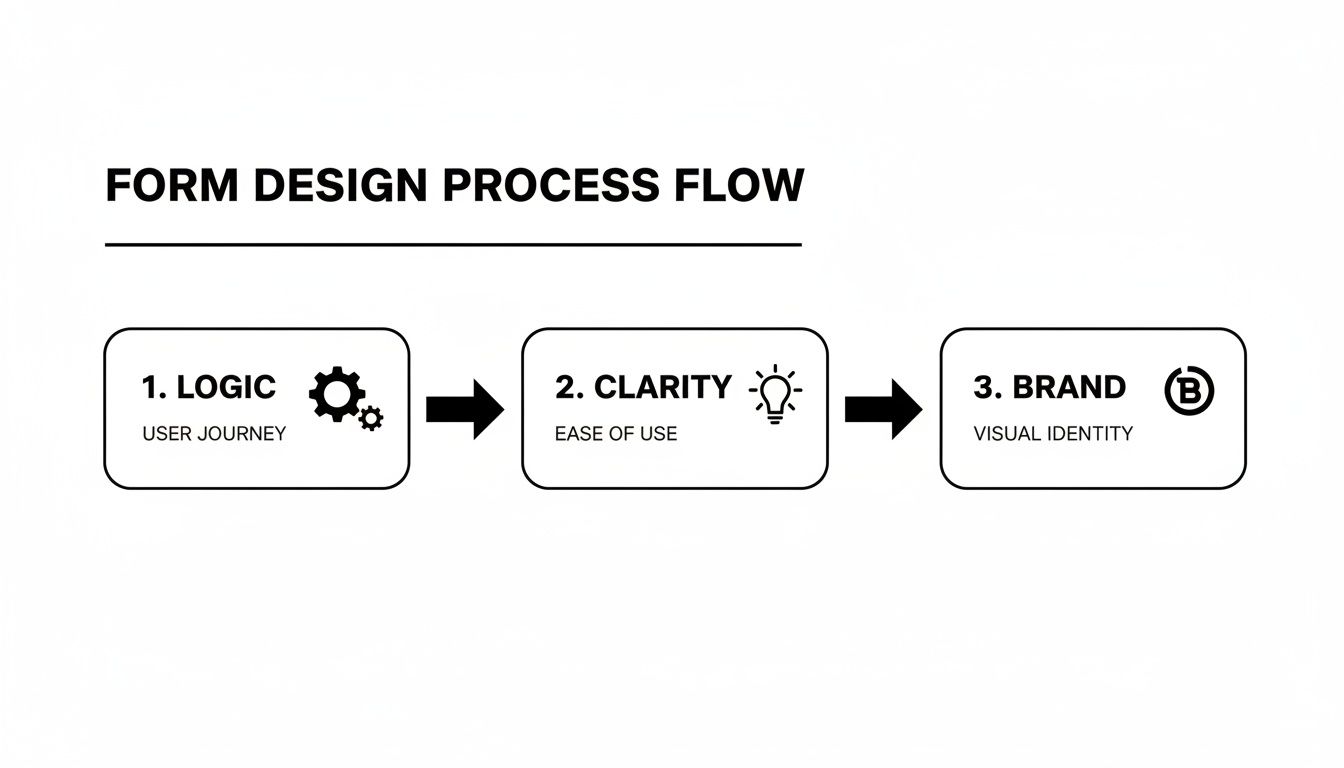
Thinking through this flow ensures your form isn't just functional, but a seamless part of your customer's journey.
The first—and most impactful—step is to kill manual data entry for good. Every minute you spend copying "First Name" and "Email Address" from a form into your CRM is a minute you'll never get back. Instead, you can map each field on your intake form directly to its corresponding spot in your CRM.
When a new lead fills out their contact info, that data should instantly show up as a new contact record. But it goes beyond the basics. Have a custom field like "Primary Business Goal" on your form? Map it directly to a "Notes" or "Goals" section in their CRM profile. This gives your team immediate context the second they open the record.
This direct connection is the foundation of every other automation you’ll build. For a deeper look at the possibilities, check out how to set up sophisticated intake form workflows for automated information gathering.
By automating data transfer, you’re creating a single source of truth for every client. No more data silos. No more version control issues. Just one up-to-the-minute record that everyone on your team can trust from day one.
Once the data is flowing into your CRM, you can start triggering a whole sequence of events. This is where you really start to speed up the onboarding process and create a fantastic first impression.
Ready to build a truly interconnected system? You need to get familiar with webhooks. Think of a webhook as a simple notification that one app sends to another when something specific happens. In this case, when a customer submits your form, a webhook can push that data to almost any other tool you use.
The possibilities here are endless. A webhook could add a new client to your email list in Mailchimp, create a project for them in Asana, or ping a specific Slack channel to let your team know a hot lead just came in.
This creates a fully automated ecosystem where your tools are constantly talking to each other. It’s how you build a powerful onboarding machine that grows right along with your business.
Theory is great, but let's be honest—starting with a proven foundation is just plain better. Instead of staring at a blank page, a solid customer intake form template gives you a massive head start.
Every industry has its own quirks and data requirements. A generic, one-size-fits-all form just isn’t going to fly when you need specific, actionable information from the very first conversation. The whole point is to ask the right questions upfront. This lets you qualify leads, scope projects accurately, and kill the endless back-and-forth emails that waste everyone's time.
Think of a well-designed, industry-specific template as your first step toward a more efficient and professional onboarding process. It instantly shows clients you get it—you understand their world and you're ready to jump in.
We've put together a practical toolkit with customizable templates for three common service industries. These aren't just random lists of fields; they're built from real-world experience to help you gather what you need and get that new client relationship started on the right foot.
For law firms, the initial intake is much more than just grabbing contact details; it's about critical due diligence. I’ve seen firsthand how missing one key piece of information can create serious headaches, from surprise conflicts of interest to incorrect case filings. Your form has to be precise and exhaustive.
If you want to go even deeper on this, our guide on mastering client intake and onboarding for law boutiques has even more specialized strategies.
Your legal template absolutely must prioritize:
In the marketing world, a successful project lives or dies by how well you understand the client's goals from the outset. A vague or incomplete brief is the #1 cause of scope creep and, ultimately, an unhappy client. This form is all about forcing clarity and setting expectations early.
A great marketing intake form is the bedrock of your project brief. It guarantees that both you and the client are aligned on objectives, deliverables, and what success actually looks like before a single hour is billed.
Essential fields for any agency form should include:
For wellness clinics, patient intake is a delicate dance. You have to gather a comprehensive medical history while also creating a welcoming, reassuring experience. The form needs to be detailed enough for a proper assessment but not so cold and clinical that it feels intimidating.
A few key areas you have to cover are:

When you collect client information through an intake form, you're taking on a massive responsibility. Let's be honest, the thought of navigating compliance rules can feel a little overwhelming. But getting data security right is about so much more than just dodging fines—it's about building genuine trust with your clients from the very first click.
Think about it. When someone fills out your form, they're handing over personal, often sensitive, details. That act is a leap of faith. Honoring that trust is the absolute bedrock of a strong, lasting client relationship. If that trust is broken, the fallout can hurt your reputation far more than any legal penalty.
A secure and transparent process shows clients you value their privacy as much as you value their business.
You don't need a law degree to handle data responsibly, but you do need to get a handle on the basics of the big regulations that might apply to your business. The key is to be proactive, not reactive. Waiting for a problem to arise is a recipe for disaster.
For most businesses, two major frameworks come up again and again:
Even if these specific laws don't apply to your business directly, their core principles are a fantastic blueprint for ethical data handling. The main idea is simple: be completely transparent about what information you're collecting and why you need it.
Building a secure customer intake form template isn't just a technical task—it's a commitment to your clients. Your privacy policy should be easy to find, simple to understand, and written in plain language, not confusing legal jargon.
Let's make this practical. Imagine a small wellness clinic setting up its first digital patient intake form. To stay on the right side of HIPAA, they can't just grab any old form builder off the internet.
They absolutely must choose a platform that provides a Business Associate Agreement (BAA). This is a crucial, legally binding contract that ensures the software vendor is also committed to protecting patient data according to HIPAA's strict rules.
Their form would also need a few key things:
When you break it down like this, compliance becomes a series of clear, actionable steps. By focusing on getting clear consent, using secure technology, and having transparent policies, you can handle client data with both confidence and integrity.
An optimized intake form feels more efficient, but how do you actually prove it's working? To turn this tool into a documented, profit-driving asset, you need to connect the dots between your new process and real business results. It’s time to move beyond gut feelings and start tracking specific, tangible metrics that tell a clear story.
Start by looking at the time you’re saving. The goal is to quantify the reduction in manual, administrative work that used to clog up your team’s day. This isn’t just about feeling less busy—it’s about reclaiming valuable hours that can be reinvested directly into billable work or business growth.
To build a strong business case, focus on a few core metrics that directly reflect the impact of your streamlined intake process. These numbers will paint a clear before-and-after picture of what’s changed.
The cumulative effect of these improvements is significant. Recent research shows that businesses using comprehensive intake templates save an average of 8-12 hours per month on administrative tasks alone. For a small agency, this can translate to $2,400-$4,800 in monthly labor cost savings. You can explore additional findings on how intake forms boost efficiency on spp.co.
The ultimate metric is your lead-to-client conversion rate. When you make it easier for qualified leads to engage with you, you remove friction from the sales process. A higher conversion rate is the clearest sign that your new intake form isn’t just better—it’s actively growing your business.
Over the years, we've seen the same questions pop up time and time again as businesses build out their intake forms. Let's cut right to the chase and tackle the big ones you're probably thinking about right now.
There’s no magic number, but here’s the golden rule: keep it as short as humanly possible while getting what you need.
Every extra field you add is another reason for a potential customer to give up and close the tab. You can always gather more details once you have them on the phone or in a meeting. Focus only on the absolute essentials for that first touchpoint.
Absolutely, and you definitely should. Hooking your form up to your CRM is non-negotiable, but don't stop there.
With tools like Zapier or direct webhooks, you can plug your form into almost any piece of software your team uses. Imagine a new submission automatically creating a task in your project management tool, adding a contact to your email list, and pinging your team on Slack. It’s all possible.
Hands down, the single biggest mistake we see is completely ignoring the mobile experience.
More than half of your potential clients will likely find your form on their smartphone. If they have to pinch, zoom, and struggle to fill out your fields, they’re gone. You're losing business before you even know they exist. A clunky mobile form is a guaranteed way to sabotage your own lead generation.
Ready to stop just collecting data and start automating your entire intake process? My AI Front Desk builds intelligent workflows that connect your forms to your CRM, scheduling, and even automated texting. See how it works.
Start your free trial for My AI Front Desk today, it takes minutes to setup!


